Reconcile your payments and your invoices automatically.
Import your invoice file and your bank transaction file. Rapprocha identifies the matches, detects partial and multi-invoice payments, then delivers a CSV and a PDF report ready to send. Every match is justified, and your files are never sent to a third-party AI service.
No credit card · CSV files
Payment +€2,480.00 → INV-2026-0182 · confidence 98.7%
Everything you need to close faster
A complete, auditable reconciliation pipeline, all in one place.
Two files, that's all
One invoice CSV, one bank transaction CSV. No installation, no heavy configuration.
Explained reconciliation
Clear rules (reference, amount, supplier, currency, date) — every match is justified.
Reference detection
The invoice reference is spotted even in the middle of a transfer description.
Partial payments & multi-invoice
Deposits, grouped payments, one payment for several invoices — grouped into clusters.
Clusters & scores
Each transaction ↔ invoice group receives a line score and an overall score.
CSV + PDF report
Leave with a detailed CSV (cluster column, scores) and a PDF ready to send to the client.
Strict validation
Invalid amounts, dates or currencies block the file — nothing is ever guessed.
Your data stays private
Each reconciliation belongs only to you. Delete it in one click when you are done.
No commitment
Each run counts as 1 reconciliation toward your monthly quota. The Discovery plan is free.
How it works
Import, set up the template, run. In just a few minutes.
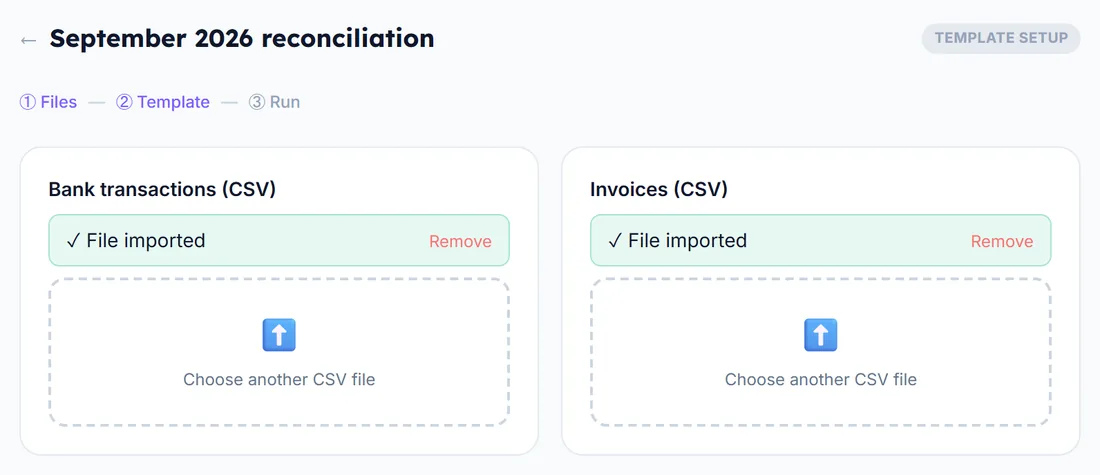
Import
Your invoice CSV and your bank transaction CSV.
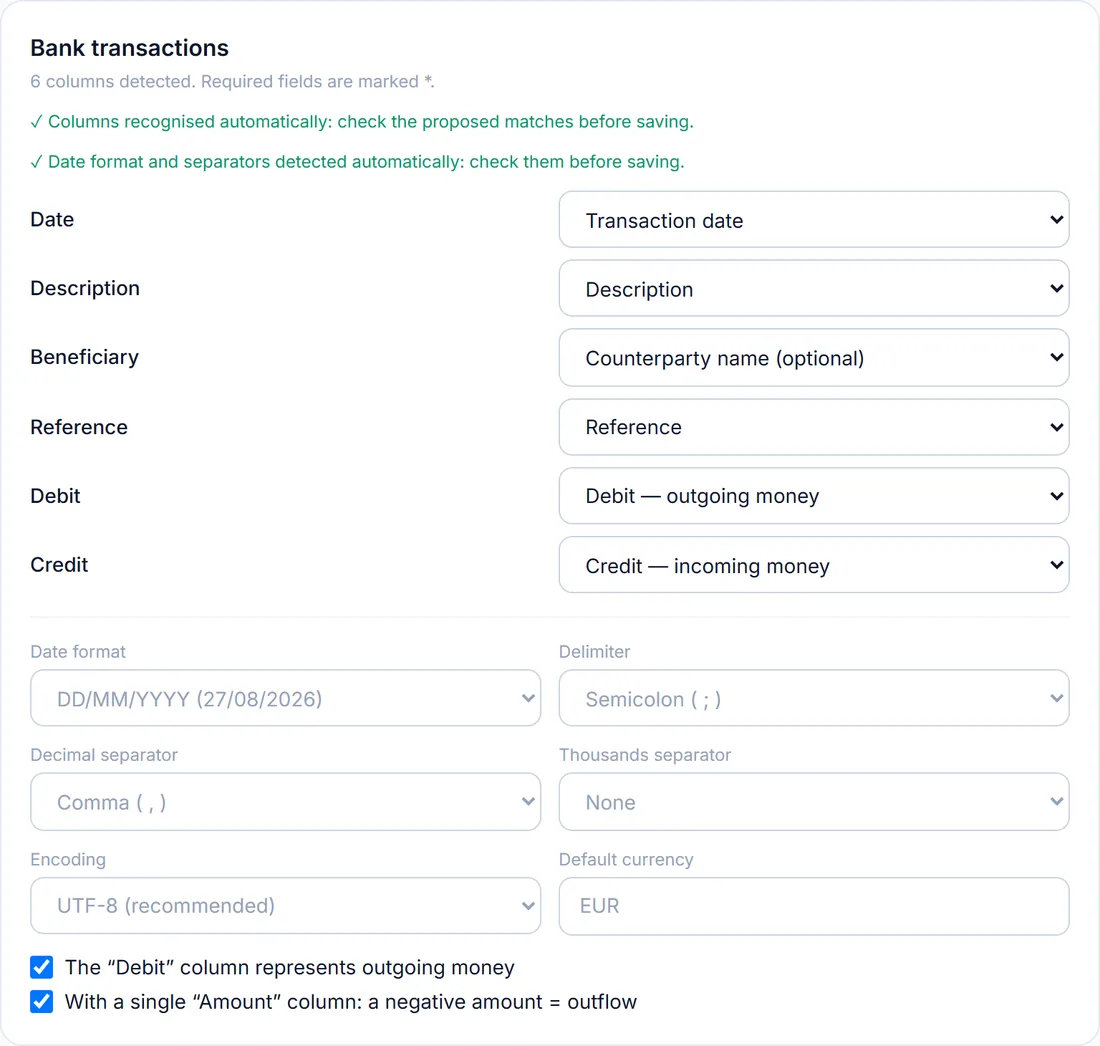
Configure the template
Tell us which columns match what, just once. Save.
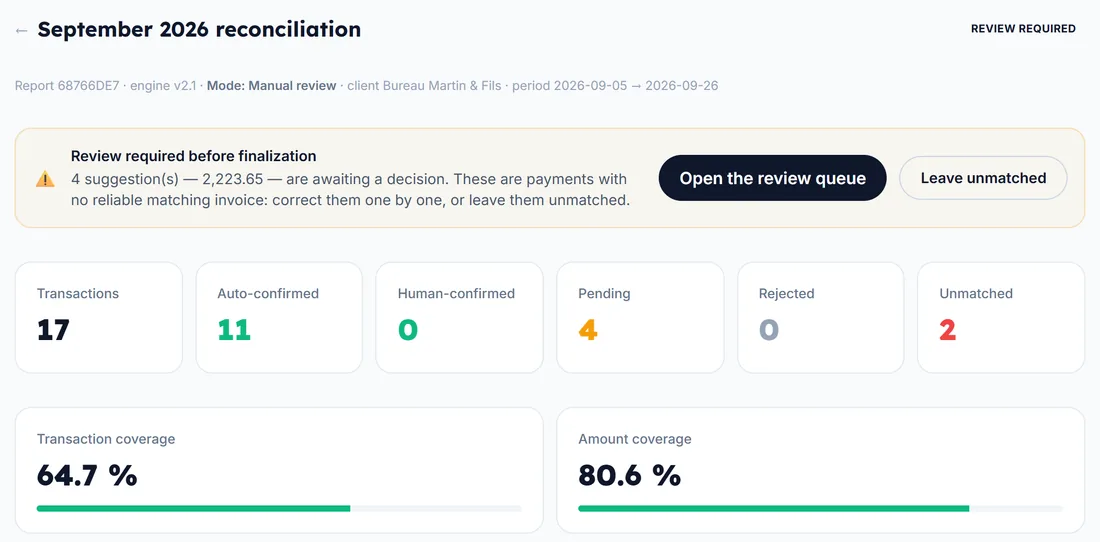
Start the matching
One click. Results arrive in moments (counts as 1 reconciliation).
Download
Detailed CSV + PDF report. You can reject a cluster before downloading.
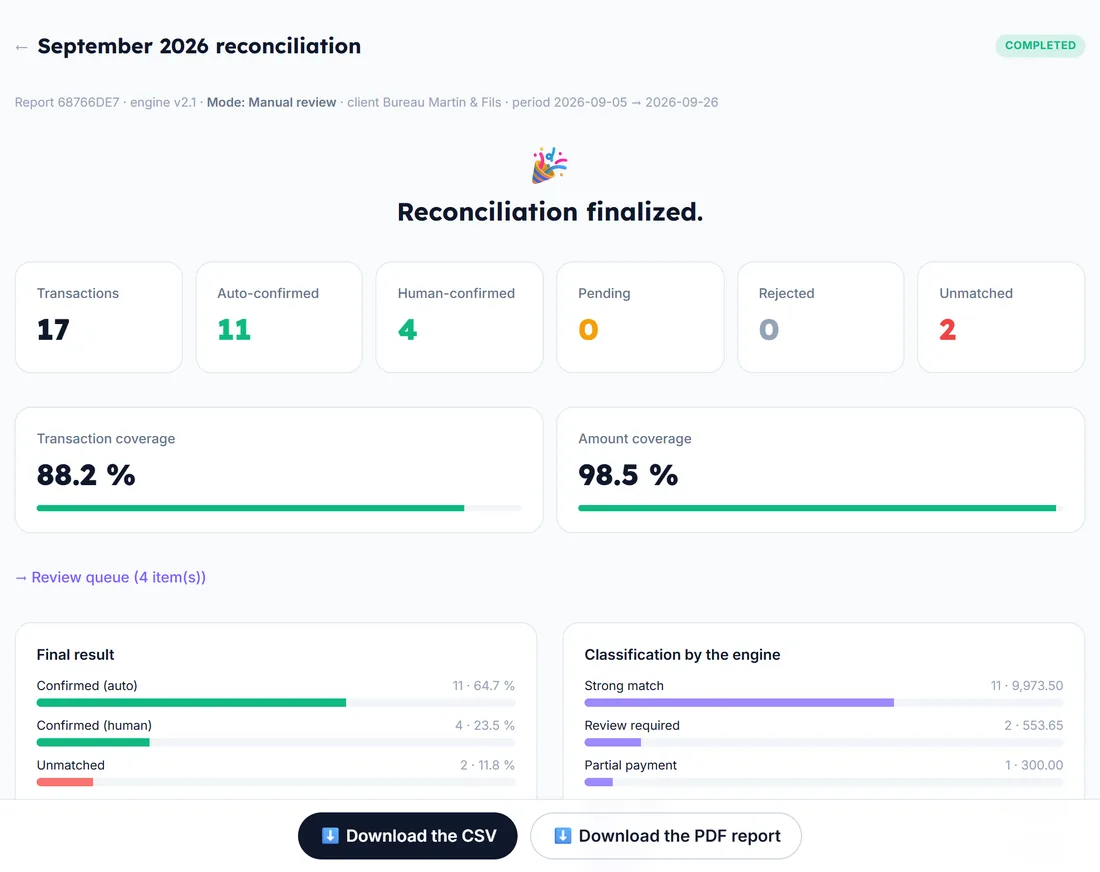
Real example with fictional data: 17 bank transactions and 16 invoices.
Built for finance and accounting teams
Accounts payable
Reconcile outgoing payments with supplier invoices.
Accounting firms
Handle each client's reconciliation in a few minutes.
PME
Cut manual spreadsheet reconciliation down to a few minutes.
Financial controllers
A clear audit trail for every reconciliation decision.
Simple, transparent pricing
1 reconciliation = analyzing your two CSV files (invoices and bank transactions) to identify matches between them, whatever the number of rows, within your plan's limit. Start for free.
Discovery
Discover a simple way to match your bank transactions with your invoices and save time.
- ✓5 reconciliations per month
- ✓Files up to 10 MB
- ✓Up to 100 transactions/invoices per file
- ✓CSV file import
- ✓Automatic matching of payments and invoices
- ✓Detection of payments to review
- ✓Export of results as CSV and PDF
- ✓Sign in with Google
Starter
For freelancers and small businesses who want to simplify their day-to-day management.
- ✓50 reconciliations per month
- ✓Files up to 50 MB
- ✓Up to 1,000 transactions/invoices per file
- ✓All Discovery features
- ✓Support for partial payments
- ✓Matching one payment to several invoices
- ✓History of completed reconciliations
Pro
For businesses that process more payments and want to save even more time.
- ✓200 reconciliations per month
- ✓Files up to 100 MB
- ✓Up to 5,000 transactions/invoices per file
- ✓All Starter features
- ✓Priority processing of your files
Business
For businesses that handle a large number of transactions and invoices.
- ✓1,000 reconciliations per month
- ✓Files up to 200 MB
- ✓Up to 10,000 transactions/invoices per file
- ✓All Pro features
- ✓Priority support whenever you need it
Annual billing available (about −20%). Importing your files is free — only launching a reconciliation counts toward your monthly quota.
Frequently asked questions
Ready to stop manual reconciliation?
Join the finance teams that use Rapprocha to reconcile payments and invoices automatically.
Start for free