Clean an Excel or CSV file and remove duplicates
Import a messy file: find duplicates, remove extra spaces and empty rows, standardise dates and numbers. You see every change before downloading a clean file.
✓ 10 files per month, free to start · no credit card
How it works
-
1
Import your file
Excel (.xlsx), CSV, TSV or text.
-
2
Choose the cleanups
Spaces, dates, numbers, empty rows, duplicates on the columns you choose.
-
3
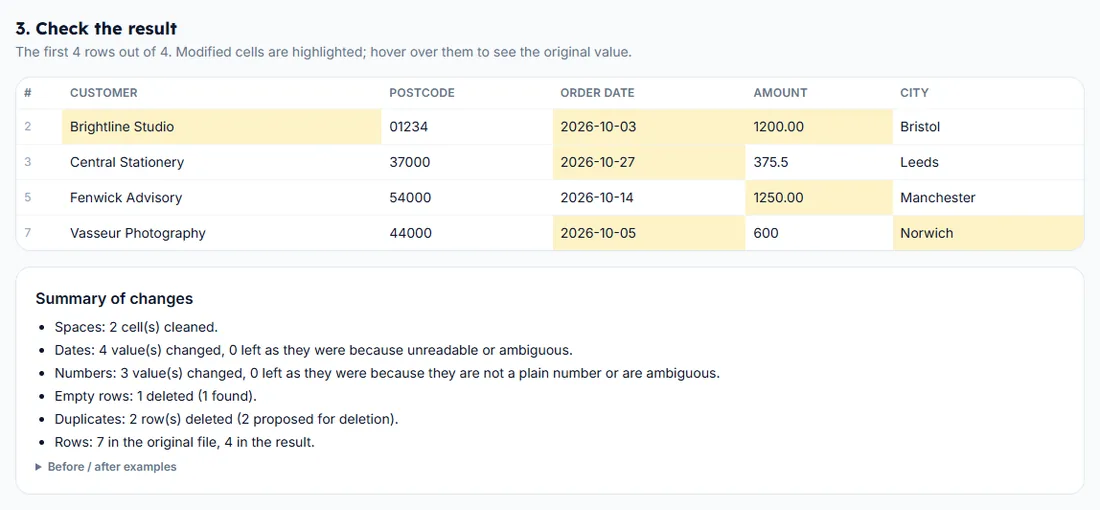
Check the preview
Every changed cell is highlighted; no row is deleted without your confirmation.
-
4
Download the result
As Excel or CSV, with the deleted rows in a separate list.
Why use Rapprocha
- Files ready to import, without repetitive handling.
- Duplicates found even with different spaces or capitals.
- Ambiguous dates and numbers never converted without your choice.
- Nothing is lost: deleted rows are provided in a separate file.
Who is it for?
Anyone preparing an Excel or CSV file before an import, a mail merge or an analysis.
 Try for free
Frequently asked questions
How do I remove duplicates from a CSV file?
Import the file, choose the columns that define a duplicate, review the groups found and confirm: a file without duplicates is downloaded, with the deleted rows kept apart.
Is it free?
Yes to start: the free plan includes 10 cleaned files every month, no credit card.
Is my file changed?
No: you download a new version. The working copy is deleted automatically after a few days.
The other Rapprocha tools
- PDF to CSV — Invoices
- PDF to CSV — Bank statementsPDF bank statement to Excel and CSV converter
- Bank reconciliation
- Data reconciliation
- Data Quality Checker
Clean an Excel or CSV file and remove duplicates
10 files per month, free to start · nothing to install
Clean a file