Compare two Excel or CSV files and find every row
Import two lists — customers, suppliers, products —: Rapprocha finds each row of one in the other, even with typos or different spellings. You validate the matches, then enrich your file.
✓ 10 reconciliations per month, free to start · no credit card
How it works
-
1
Import your two files
A main source and a reference source, as Excel or CSV.
-
2
Map the columns
Suggestions you correct: name, city, e-mail, identifier…
-
3
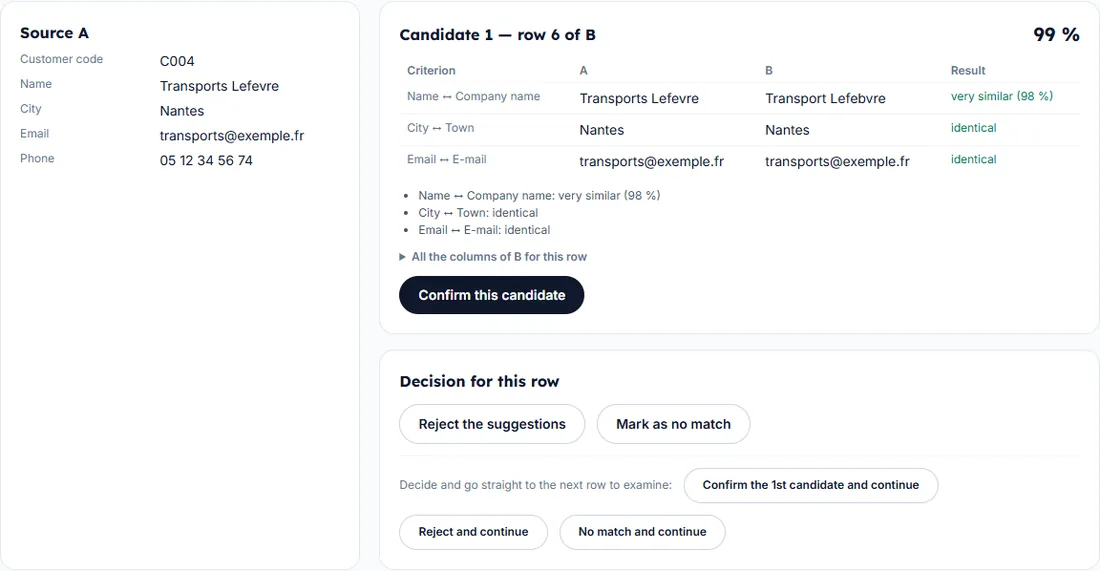
Check the matches
Exact or fuzzy, each with its score and its reasons.
-
4
Enrich and export
Only confirmed matches add the other file's data.
Why use Rapprocha
- No more VLOOKUP failing at the first space or typo.
- Fuzzy matches explained field by field.
- Computed on our servers, without AI or any external service: same files, same results.
- You validate: nothing is merged without you.
Who is it for?
Sales, accounting and admin teams who must cross-check two lists that are not spelled the same way.
 Try for free
Frequently asked questions
How do I compare two Excel files to find the differences?
Import both files, map the columns to compare, run the comparison: common, fuzzy and missing rows are listed, with their score.
Is it free?
Yes to start: the free plan includes 10 data reconciliations every month, no credit card.
Do you use artificial intelligence?
No: comparison rules for text, numbers and dates, explained for each score.
The other Rapprocha tools
- PDF to CSV — Invoices
- PDF to CSV — Bank statementsPDF bank statement to Excel and CSV converter
- Bank reconciliation
- Excel & CSV cleaner
- Data Quality Checker
Compare two Excel or CSV files and find every row
10 reconciliations per month, free to start · nothing to install
Compare two files